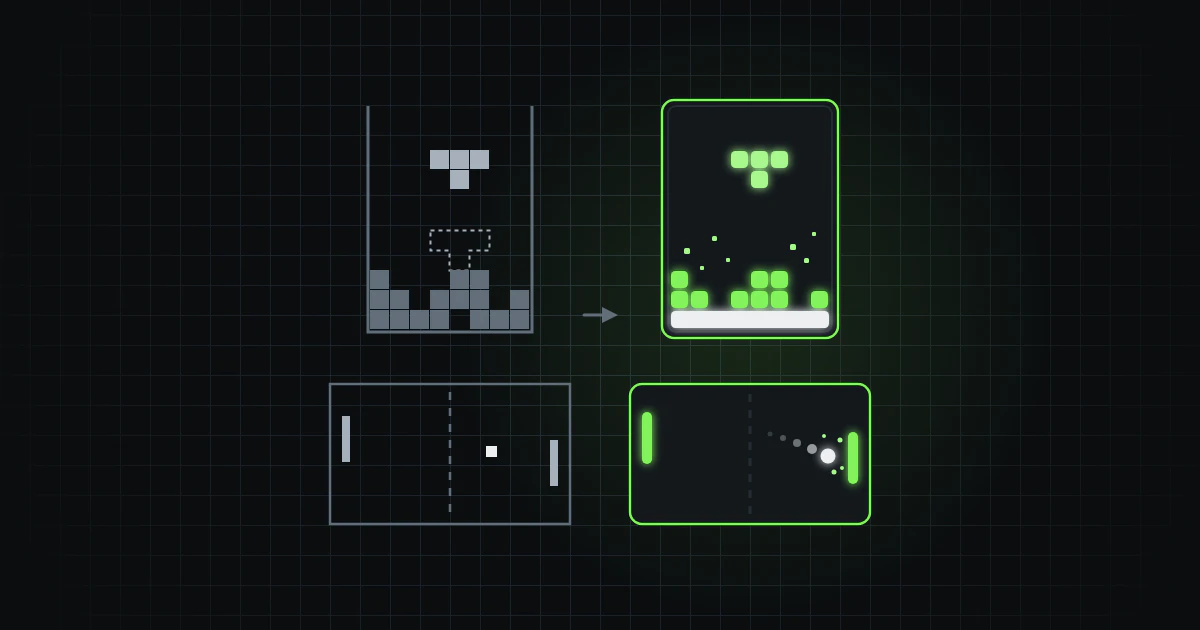
Gaimer is a desktop app that makes a small game from a description. You type what you want, "Pong" say, and it asks the AI provider you connect, OpenAI with your own API key or Claude through your own Claude Code, for a whole game in JavaScript, which it saves and runs in a sandboxed page. It is open source under the MIT licence and runs on macOS, Windows, Linux and iOS.
On 24 and 25 September 2026 the factory, the agent-run software factory behind this site, merged 49 pull requests into Gaimer, 76 commits in all, each saying why it was made and what was checked. Tetris, Pong and Space Invaders, made with the old and the new system prompt, then show what the new prompt does. All six games can be played here.
What changed
Opening and saving games
A saved game could refuse to open ("Missing required field: title") once its progress had been saved: the app sometimes read the progress as the game. "Restore progress?" never appeared, because the dialog it needs was not installed. A saved game now opens at once, not after a one-second wait, and a new game that arrives while a saved one is open takes its place. Deleting a game asks first, and a save that cannot work says why at once.
Errors a game throws
A syntax error in a game's code used to stop the page's only script: the
player saw a dark canvas and no message. The game's code now runs in a
script of its own, and every error reaches the app. On WebKit, which runs
the app on macOS and iOS, errors showed only as "Script error.", and the
built app's policy refused the script that reports them; both scripts now
load from data: URLs, which fixes both. An error comes with its line and
column in the game's code, or a note that it was found after the end of it,
and code cut off mid-expression now fails as a syntax error.
The Claude connection
Each game used to be a full Claude Code session and is now one plain completion, with most of the user's own setup kept out. A failed call now says why instead of "Exit code 1".
Security
The main window's Content Security Policy no longer allows requests to Anthropic's API or images from any https address, neither of which the app uses. The shell permission, which let any script in the window run any command as the user, allows only the three command lines the app builds. The OpenAI API key, kept in a vault whose password and salt were in the repository, is now in the system keychain.
Cleanup
What nothing used was removed: an HTTP plugin built into the app but never called, which took 31 crates out of the Rust build; template leftovers; a store nothing read, methods nothing called and two one-time data moves that could no longer find anything. The dependencies were updated within their ranges, which cleared all 22 findings of the package audit.
Tests and CI
Tests that could not fail were replaced, tests were added where a regression would reach the user, and coverage got a floor: 94 % of statements, 89 % of branches, 90 % of functions and 96 % of lines, the levels reached, rounded down. The unit tests went from 101 to 408. CI moved from Node 20, out of support since 30 April, to Node 24 and current actions, with a read-only token, and checks the Rust code's formatting and lints. It builds the app for Linux, macOS, Windows and iOS on every pull request; after the last merge, all four passed.
The new system prompt
A game is made in one call, from Gaimer's system prompt and the user's description. The old prompt said how to answer, where the game runs, that it must take keyboard and touch, and how to save and restore, but nothing about how a game should look or feel. The rewrite keeps that contract and adds sections on look, play and speed: one visual style, particles and a small screen shake, a start screen, a best score, a smooth rise in difficulty, sound made in code, movement by frame time, and pointer events, so that a mouse works as well as a finger. It asks for "a few hundred lines" of code and grew the prompt from 2,830 characters to 6,873. Its pull request calls it a draft for reading, written without calling an AI provider or running a game made with it.
The automatic fix round
A new game that fails as it starts now goes back once to the provider that wrote it, and the fixed game takes its place.
Changing the open game
With a game open, the description box now changes that game.
The app's icon
Gaimer had no icon of its own: it used Tauri's default. On 25 September the founder asked for a logo that shows games made with AI, in the app's green, as SVG so that it scales to app icons. One agent wrote four proposals directly as SVG code, without an image generator, each on one idea, and previewed each at icon sizes and in mock-ups of the macOS dock and an iPhone's home screen. The founder chose the first, Spark pad, and the last pull request made it the app's icon on every platform.
Smaller changes
Each AI provider now keeps its own model: one choice used to serve both, so after a switch of provider a model picked for OpenAI went to Claude, and no game could be made until a model was picked again. The lists now leave out models that could not work, such as OpenAI's speech and transcription models, and add nine GPT-5 models with the request they take: no temperature, and a limit that counts their reasoning as well as the game.
A game got no keys until the player clicked it, and none at all if it cancels the press, as some games made with the new prompt do. A game now takes the keyboard focus when it is ready and when it is clicked, and the description box lets go of it once a description is sent. The new prompt told the model that keys reach a game only after a click or a tap; that line is gone, though this article's games from after the cleanup were made with it.
Resizing the window or turning the phone restarted the game, and the player lost what they had not saved. The game now keeps running, scaled to fit, in the shape it started with: turned from portrait to landscape, it is smaller, with bars at its sides.
How the games were made
Each game was made the way Gaimer's Claude provider made one when the new prompt went in: the same command line, run the same way, with the request "Tetris", "Pong" or "Space Invaders" and the model Gaimer uses for Claude when none is chosen. Only the system prompt differs: the one from before the cleanup, unchanged since 1 April, or the rewrite. Space Invaders was made on 26 September, the others on the 25th. Each answer was read with the app's own code, and each game runs in a game page built like the app's of its version, less what only the app holds, such as its save files.
The first calls for Tetris and Space Invaders with the new prompt ran past the app's limit then, 300 seconds, and were stopped there, as the app would have done: in Gaimer that meant the error "Command timed out" and no game. The two shown come from second calls, made the same way without the limit. The factory has since raised the limit to 15 minutes. All six started with no error, so no game from after the cleanup needed the fix round.
Play runs a game where its start screen is, and the keys then go to the game, not the page. One game runs at a time.
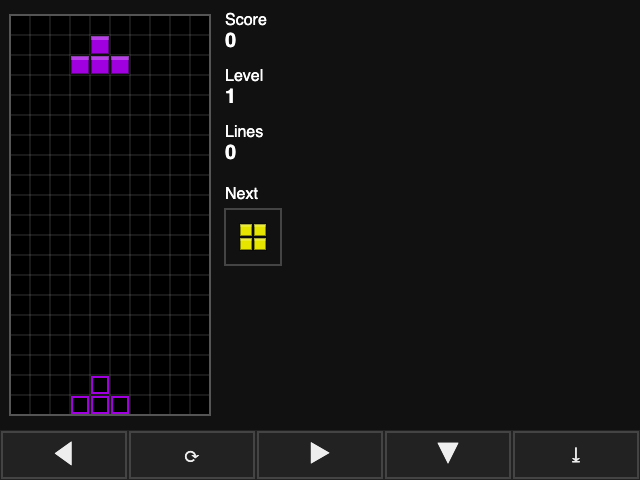 Play full screen: Classic Tetris, before the cleanup Code: Classic Tetris, before the cleanup
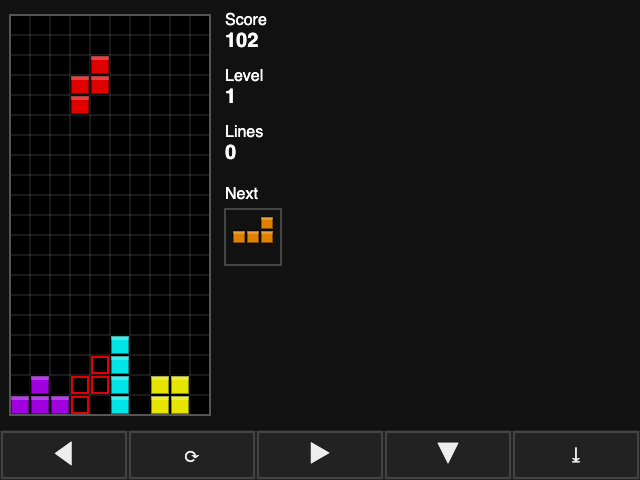
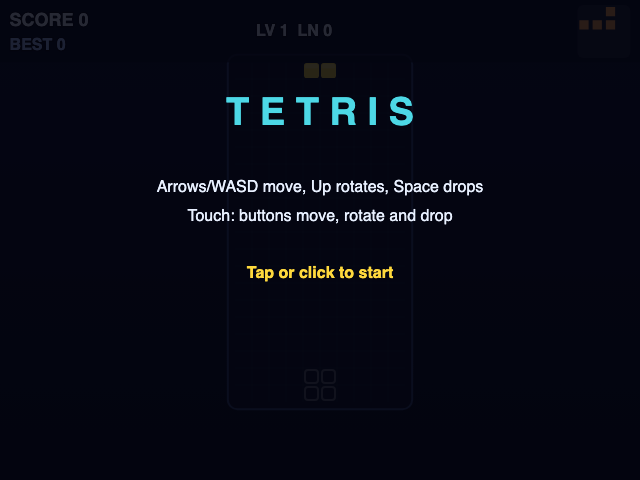 Play full screen: Neon Block Drop, after the cleanup Code: Neon Block Drop, after the cleanup
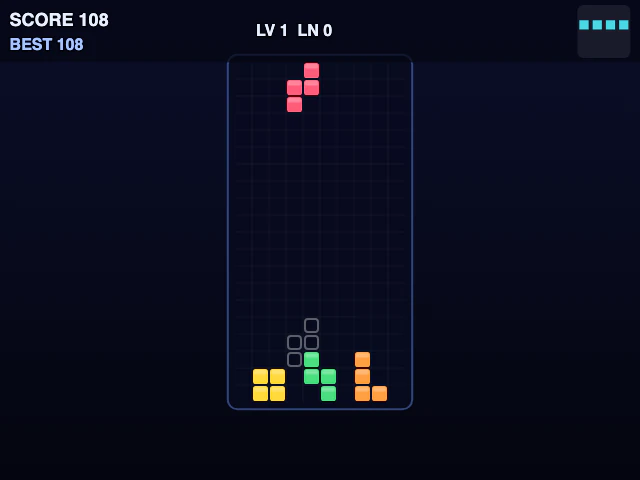
The Tetris from before the cleanup starts at once. It always draws five touch buttons along the bottom and takes touch through touch events only, so a mouse does nothing in it. It shows the score, level, lines and next piece, outlines where the piece will land and pauses on P. The one from after named itself Neon Block Drop and put TETRIS on its start screen. It waits for a tap, a click or a key, draws rounded blocks in a framed well, shows touch buttons only once the screen is touched, and clears lines with a sound, particles and a small shake.
 Play full screen: Neon Pong, before the cleanup Code: Neon Pong, before the cleanup
 Play full screen: Neon Pong, after the cleanup Code: Neon Pong, after the cleanup
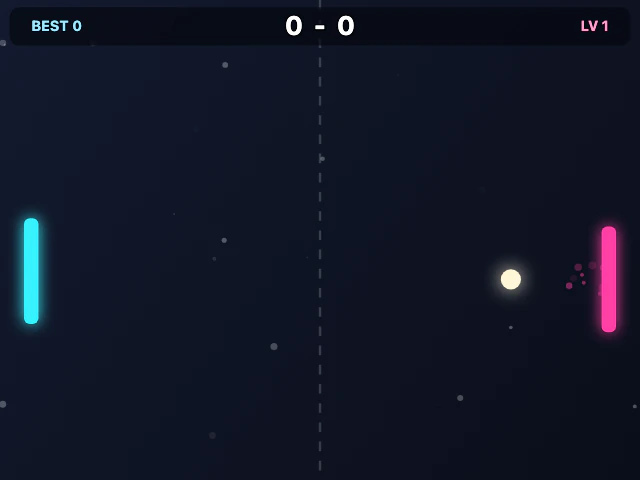
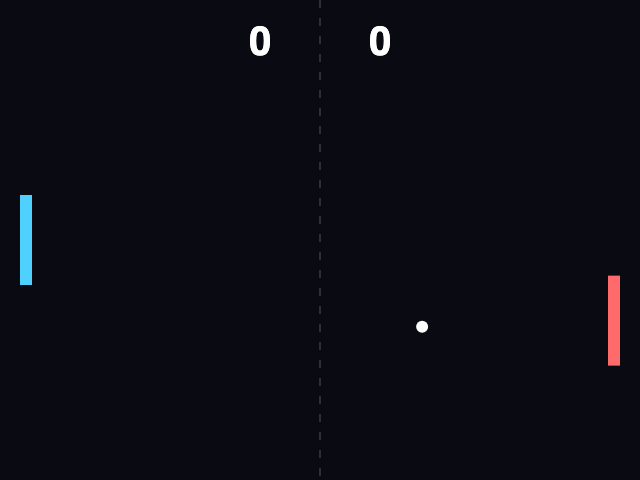
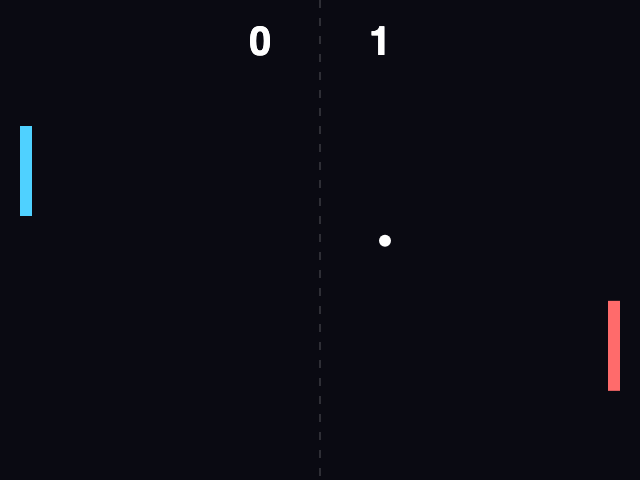
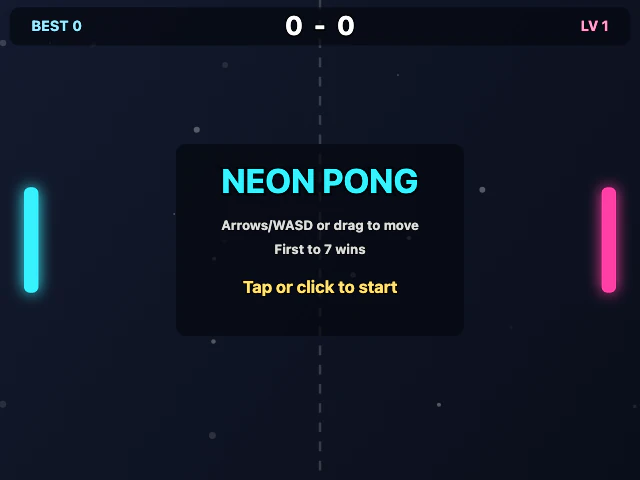
The Pong from before the cleanup also starts at once, with the ball already in play. Its paddles are flat bars, it takes the arrow keys, W and S or a dragged finger, and it has no sound. The one from after opens on a start screen, draws glowing paddles and a ball that throws off particles where it hits, and shows the score, the best score and a level along the top. It plays sounds, takes a drag from a finger or a mouse, draws two arrow buttons after a touch and, on a screen taller than it is wide, puts the paddles at the bottom and the top.
 Play full screen: Space Invaders, before the cleanup Code: Space Invaders, before the cleanup
 Play full screen: Nebula Invaders, after the cleanup Code: Nebula Invaders, after the cleanup
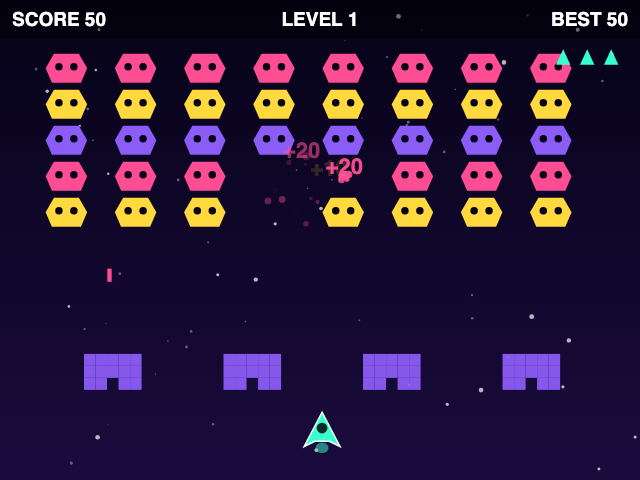
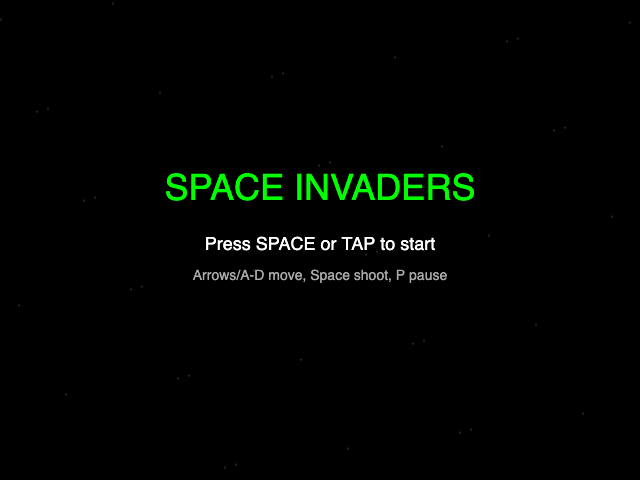
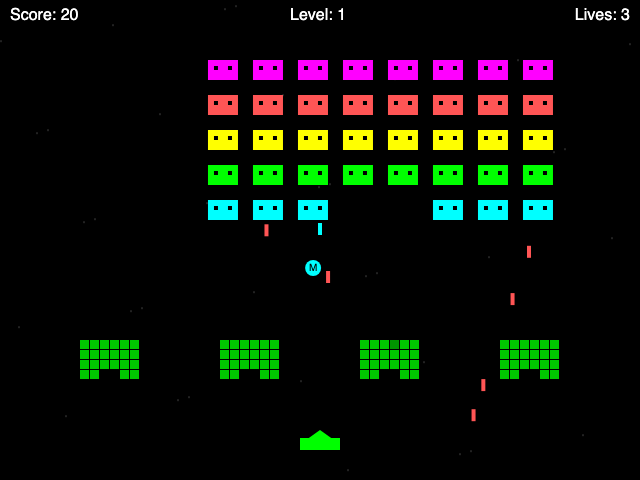
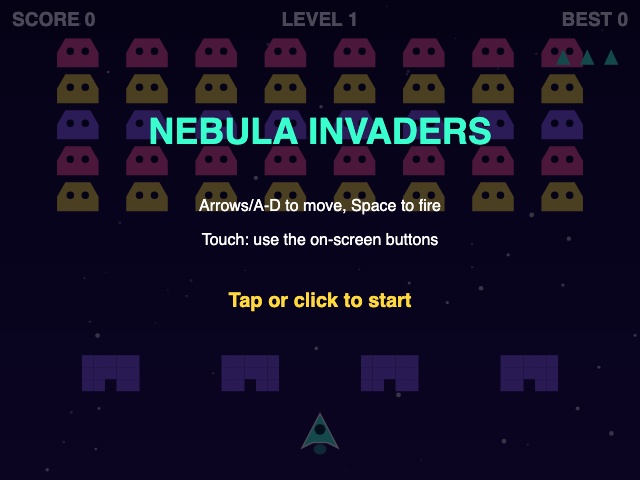
The Space Invaders from before the cleanup starts on Space or a tap: a mouse does nothing in it. Its aliens are flat blocks, its green barriers crumble under fire, and some aliens drop capsules for faster fire, three shots at once, a shield or a life. The one from after named itself Nebula Invaders. Its hexagonal aliens march in pink, yellow and purple, each hit throws off particles and a score that floats up, and its touch buttons to move and fire are not drawn during play.
The pairs show that the prompt's new sections reach the games, and the calls with the new prompt produced 1.7 to 2.4 times as many output tokens.
Those calls also took longer. When the factory later timed the app's own call at Claude Code's default effort, a Pong took 194 seconds and a Tetris 488, and most of each answer was thinking: 63 % and 79 % of the output tokens. At the lowest effort, a Pong took 53 seconds and two Tetris games 70 and 60, with next to no thinking, and all three still had the start screen, best score, sound, touch play, saving and restoring and movement by frame time, though one Tetris could not be played with a mouse. Each was a single game, not a benchmark. PR #53 made Gaimer ask for every game at low effort, and Settings now offers, for the default model, "Low · about a minute", "Medium · 1–5 minutes" and "High · 3–8 minutes".


