Part 2 of this series, The instruction file, the first thing an AI agent reads, gave the AI agent a short markdown file that it reads at every start. The file tells the agent how the project is installed and tested and which rules always apply.
Part 3 was about what the job is. This part is about how the job should be done, so that it is done the same way each time, for example when making a release. That belongs in a skill: a folder with a markdown file that says when and how to do the job, and often a small program, called a script, for the part that must be exact.
A release that comes out differently each time
A made-up example: the developer of the web app from the earlier parts makes a
release. A release means that the version number in package.json goes up, that the
changelog gets an entry for it, that the tests run and that the version is
tagged. The changelog is a file, CHANGELOG.md, that lists what changed in each
version. A tag is a name in git, such as v1.4.0, that marks the release.
The developer asks the agent: "Make a release." The agent does the work, but
not the same way twice. One time it leaves out the changelog entry. Another
time the changelog says 1.4.0 while package.json says 1.3.1.
Each time the developer corrects the agent in the chat and writes down the same reminders as the time before. Anthropic's documentation names that as the moment to make a skill: when you keep pasting the same instructions, checklist or procedure into the chat.
A skill is a folder
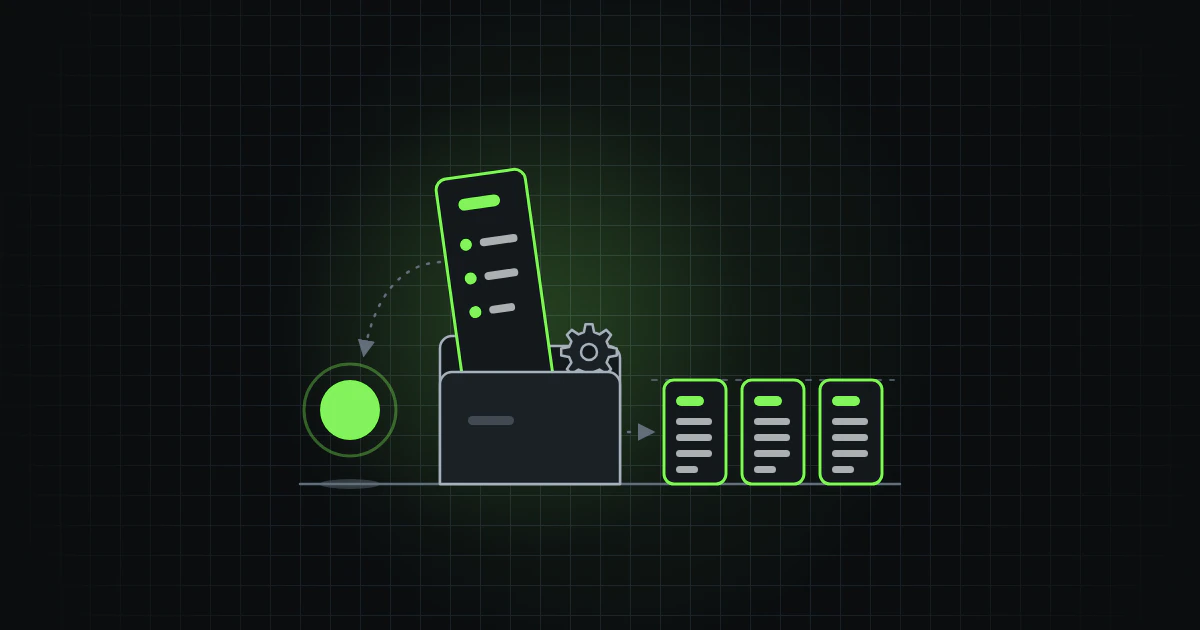
A skill is a folder with a markdown file in it called SKILL.md. The file begins
with a name and a description, the two fields every skill needs, and goes on
with the instructions. Other fields are optional; "Advanced skills" near the end
describes them.
Next to the SKILL.md there can be a script, a short program that does one fixed thing, and other files that the instructions refer to. One kind is a template: a text with its fixed parts already written, such as the headings of a changelog entry, so that every entry has the same shape.
The agent does not read the whole folder at the start. It keeps only the name and the description of each skill in view. When the task matches a description, the agent reads the instructions, and it runs the script when the instructions say so. The Agent Skills standard describes the same three steps.
On 22 October 2026 Anthropic donated the standard to the Agentic AI Foundation (AAIF), a foundation within the Linux Foundation that also looks after AGENTS.md.
This is the SKILL.md of the release skill in the example:
---
name: release
description: Prepares a release of the web app. Checks that the version number and the changelog agree, then runs the tests. Use when the user asks for a release, a new version or a tag.
---

# Release

1. Run `sh scripts/check-release.sh` from this skill's folder.
2. If it prints a problem, fix that and run it again. Go on only when it
   prints OK.
3. Run `npm test`.
4. Tell the developer the version number and ask before you create the tag.
The description is the line the agent reads to decide whether to use the
skill, so it says what the skill does and when to use it. "Helps with
releases" gives the first but not the second, and the
Agent Skills specification gives
"Helps with PDFs." as its example of a poor description.
The instructions are short on purpose. Once a skill is loaded, its text stays in the conversation and costs room on every turn, so Anthropic advises keeping it concise.
Put what must be exact in a script
The first step of the skill runs a script. Without one, the agent writes the code for the check itself each time. That code can differ a little from one run to the next. A new mistake can also slip in.
A script is written once, tested and then run as it is. If a bug turns up later, it is fixed in one place. Anthropic's guide says that ready-made scripts are more reliable than generated code and keep the results consistent from one use to the next.
This is the script:
#!/bin/sh
# Checks that the version in package.json is the one the changelog
# describes, and that no tag exists for it yet.

top=$(git rev-parse --show-toplevel) || exit 1
cd "$top" || exit 1

version=$(node -p "require('./package.json').version" 2>/dev/null)
latest=$(grep -m1 '^## ' CHANGELOG.md 2>/dev/null | cut -d' ' -f2 | tr -d '\r[]')

if [ -z "$version" ] || [ -z "$latest" ]; then
  echo "Could not read the version from package.json or the changelog." >&2
  exit 1
fi

if [ "$version" != "$latest" ]; then
  echo "package.json says $version, but the changelog starts with $latest." >&2
  echo "Make them agree." >&2
  exit 1
fi

if git rev-parse -q --verify "refs/tags/v$version" >/dev/null; then
  echo "Version $version is already tagged. Raise the version first." >&2
  exit 1
fi

echo "OK: $version is ready to release."
The script starts by moving to the project's top folder, which git can find from
anywhere inside the project. It does not matter whether the agent starts the
script from the skill's folder or from the top folder. Then it reads the version
from package.json and the first heading of the changelog. If it cannot read
one of them, it stops, so that a missing file is not mistaken for a pass.
The script then compares the two and checks that git has no tag for the version
yet. The changelog's heading may be written ## 1.4.0 or
## [1.4.0] - 2026-10-30. If a check fails, the script prints what is wrong and
stops. If all of them pass, it prints OK.
The script's messages are written for the agent as well: "package.json says 1.3.1, but the changelog starts with 1.4.0. Make them agree." says what is wrong and what to do about it, as the Agent Skills guide on scripts advises.
Some of the work is better left to instructions. How to word the changelog entry for 1.4.0 depends on judgement. A few sentences of instruction are the right tool for that. The guides from Anthropic and OpenAI draw the same line. Anthropic advises a ready-made script for an operation that is fragile and must be done the same way each time. OpenAI advises instructions rather than scripts, unless you need deterministic behaviour or outside tools. Deterministic means that the same input always gives the same result.
A script helps only when it runs: the agent has to choose the skill and follow its first step. What must never be skipped needs a guard outside the skill, as a rule in the instruction file did in part 2: a test in the project, or a setting in the tool that blocks the step. Claude Code's documentation advises moving a rule that must hold every time into a hook, a command the tool runs by itself.
A skill, an instruction or a request
Not everything belongs in a skill.
The instruction file is the AGENTS.md from part 2 (Claude Code calls its file CLAUDE.md). It tells the agent how the project is installed and tested and which rules always apply. The agent reads it at every start, so it is kept short.
A skill says how to do one kind of job, such as a release, a review or a translation. It is not a second agent like the one in part 3: it is text that the agent you are already talking to reads when the job comes up.
Working out how a job should be done belongs in the chat. Once it comes out the way you want, the steps can become a skill.
What the studies show
Here are two studies that ran the same tasks with and without a skill.
SkillsBench gave AI agents 87 tasks that ran in a terminal, each with tests that score the result. Experts had put together skills for the tasks. Averaged over 18 combinations of a model and a tool, the agents passed about 34 tasks in 100 without the skill and about 51 with it.
The gain differed a lot, from about 4 more tasks in 100 to about 26 more. On 13 of the 87 tasks the average result was worse with the skill. The paper calls its high-quality skills "an optimistic scenario".
SWE-Skills-Bench ran 98 public skills for software work, each on a real code repository, once without the skill and once with it. The average share of checks passed went from 76.6% to 76.9%. For 92 of the 98 skills the paper found no statistically significant effect, that is, no difference that could be told apart from chance.
The paper adds that this means no effect was detected, not that the effect is zero. Its tasks were made from what each skill says it can do. The few skills that helped gave the agent steps that it would otherwise have left out.
SkillsBench also let three of the combinations write skills for themselves before they solved each task. With their own skills they passed 8 to 12 fewer tasks in 100 than with no skill at all.
SkillsBench did not separate what in a skill does the work: the paper names "steps, examples, code resources" as the parts that future work has to isolate. A skill also makes the context longer, so the paper says part of the gain could come from "more context" and not from the steps. It lists "stronger length-matched baselines", such as random or irrelevant text, as future work.
SWE-Skills-Bench measured whole skills too. So neither study shows that a script helps more than plain instructions do.
A skill is not a sure gain: how much it helps depends on the model and the tool, as both studies found. It is worth testing a skill with the model and tool you use, as the next sections describe, and reading what an agent wrote for you before you rely on it.
Claude Code, Codex and GitHub Copilot
We describe the tools as their documentation stood on 30 October 2026. What we say may have changed since. All three follow the same Agent Skills format, so the folder and its SKILL.md look the same in each. What differs is where the folder is kept and how you start a skill.
In Claude Code a skill is a folder in .claude/skills/ in the project, or
in ~/.claude/skills/ for all your projects. You start the release skill by
typing /release, and Claude can also load it by itself when your request
matches the description.
In OpenAI's Codex a skill is a folder in .agents/skills/. The
Codex CLI runs in a terminal and the
IDE extension in a code editor. In both
you start a skill by typing $ and its name, or by running /skills. Codex can
also choose one from its description.
GitHub Copilot reads project skills from
.github/skills/, .claude/skills/ and .agents/skills/.
They work in VS Code, in the Copilot CLI and in Copilot's cloud agent on
GitHub. In VS Code the skills you can start yourself show up when you
type / in the chat.
To serve all three tools from one copy, keep the skill in .agents/skills/ and
link to it from .claude/skills/. Both Claude Code and Codex follow a link to a
folder. On macOS and Linux, these two lines, run in the project's top folder,
make the link:
mkdir -p .claude/skills
ln -s ../../.agents/skills/release .claude/skills/release
Check that it works
Start a fresh chat and first see that the tool found the skill. In Claude Code,
ask which skills are available. In the Codex CLI or the IDE extension, run
/skills. In VS Code, type / in the chat and look for the skill in the list.
Then ask for the job in your own words, such as "Make a release". See whether the agent picks the skill. If it does not, start the skill by name. Either way, read what the agent did: whether it ran the script, followed the four steps and asked before it created the tag.
Claude Code also has /skill-doctor, which shows what each skill costs in room
and how often it is used. An add-on called skill-creator runs test cases for a
skill with and without it.
Troubleshooting
If the agent does not use the skill, look at the description first: add the words you use when you ask for the work.
If the skill starts when it should not, make the description narrower. A job that you want to start yourself can say so. Anthropic's example of such a skill is a deploy, where you do not want Claude deciding to deploy because your code looks ready. In Claude Code and VS Code, this line at the top of the SKILL.md, under the description, lets only you start the skill:
disable-model-invocation: true
To stop Codex from choosing the skill by itself, add a file
agents/openai.yaml to the skill's folder with these lines:
policy:
  allow_implicit_invocation: false
If /release is not recognised, the tool has not found the skill. Check that
the folder is in a place the tool reads and that the file is called SKILL.md.
In Claude Code, a skills folder you created while it was running needs
/reload-skills. In Codex, a skill that does not appear needs a restart.
If the agent skips steps late in a long conversation, put the most important steps first in the SKILL.md. When Claude Code summarises a long conversation to free room, it keeps at most the start of each skill in use.
If the script says OK when something is wrong, the fault is in the script:
change the version in package.json without the changelog, run the script by
hand and fix it until it stops.
Advanced skills
A skill works with only a name and a description, so you can skip this
section at first. The specification
adds the optional fields license, compatibility, metadata and
allowed-tools, which it marks as experimental.
Each tool adds fields of its own. Claude Code has, among others, allowed-tools
for tools the skill may use without asking, context: fork to run the skill in
a subagent and model and effort. VS Code adds argument-hint,
user-invocable and disable-model-invocation. Codex keeps its extra settings
in the optional file agents/openai.yaml. disable-model-invocation and that
file are used under Troubleshooting.
Can a skill choose the model? In Claude Code it can: model sets the model for
the rest of the answer in which the skill is used. Your own model returns with
your next message. effort does the same for the effort level. The
specification, the pages of Codex and VS Code, and GitHub's page on
adding skills
list no such field. Part 3 gave a rule of thumb for choosing the model and the
effort level.
Claude Code ignores a field name it does not recognise, so a typo does nothing. Copy the names from the tool's page.
Start small
We would start with one job that you already ask the agent to do and that you correct in the same way each time. Do it once with the agent in a chat. When it has gone the way you want, ask the agent to write a skill from the steps of that session:
Write a skill from the steps we have just taken in this session.
This is a practice, not a measured result. The skills that the agents wrote for themselves in SkillsBench were written before they started the task, not after a session that went well.
The tools have helpers for drafting a skill. In Codex it is $skill-creator,
and in the VS Code chat, with Local selected in the chat view, you can type
/create-skill followed by a description.
Read the draft and cut it down to what the job needs. Put the folder where your
tool reads skills: .claude/skills/release/ in Claude Code,
.agents/skills/release/ in Codex or any of the three folders above in Copilot.
Ask the agent to move the part that must be exact into a script, and keep what takes judgement in the instructions. Run the script by hand once where it should pass, once where it should fail and once without a file it needs. Read any script before you let an agent run it, also one that came from somebody else. VS Code's documentation warns that skills can include scripts that run tools or reach other systems.
Then check the skill as described above. The next time you correct the agent on that job, ask it to change the skill as well, so that the correction stays. Add the next skill only when this one has proved useful.
What comes next
The working titles may change along the way.
- From AI chat to agentic work
- The instruction file, the first thing an AI agent reads
- Give each AI agent a job of its own
- Skills, for work that must be done the same way every time (this part)
- MCP, how an AI agent reaches other systems
- Where the AI agent runs and who starts it
- Set the limits in advance
- What has changed along the way — the latest models need less steering than earlier ones, but still some


